Showing posts with label Business. Show all posts

Wednesday, February 23, 2011

Pocket Manager-Small Business Guide: Unlocking the Educational Potential Howto’s

0 comments

Pocket Manager-Small Business Guide: Unlocking the Educational Potential Howto’sChicago, IL - Intersog LLC, a leader in mobile application development, has announced a newly upgraded version of Pocket Manager –Small Business Guide is now available for the iPad.  A Top 25 grossing Business app, Pocket Manager –Small Business Guide provides affordable, portable business education, vital to busy entrepreneurs and small business owners.  Pocket Manager. The Pocket Manager series apps are pretty good. I have been checking out Pocket Manager Business Essentials and it is a very nice app.

Maybe not as in-depth on some marketing topics I am looking at, but very nice well rounded business information. A video for the Business Essentials iPad app will be coming soon. CM

Pocket Manager-Small Business Guide: Unlocking the Educational Potential Howto’s

Pocket Manager-Small Business Guide: Unlocking the Educational Potential Howto’sPocket Manager-Small Business Guide: Unlocking the Educational Potential Howto’s

Chicago, Illinois – Intersog LLC, a leader in mobile application development, has announced a newly upgraded version of Pocket Manager – Small Business Guide is now available for the iPad. A Top 25 grossing Business app, Pocket Manager – Small Business Guide provides affordable, portable business education, vital to busy entrepreneurs and small business owners. Pocket Manager – Small Business Guide is available on the iTunes App Store.

Pocket Manager – Business Essentials iPad is a full-featured business course logically divided into 3 distinct sections: course, flashcards and tests. The full-text course book contains 10 chapters, providing a roadmap for running a successful small business, with topics ranging from financing and marketing to operations and accounting. A handy bookmarking feature allows users to save their place anywhere in the course and to resume from that point upon restart. And to help users with terms they may not understand, a course glossary is provided for easy access to definitions from within the app.

After the course text is completed, users have access to a set of interactive flashcards designed to prepare them for the in-course tests. Comprehensive tests follow each chapter, designed to reinforce the learning process. Detailed explanations are provided for each right or wrong answer and tests can be saved and retaken, so users can track their learning progress.

Device Requirements:
* Compatible with iPad
* Requires iOS 3.2 or later
* 1.9 MB

Pricing and Availability:
Pocket Manager – Small Business Guide course 1.0 is $39.99 USD (or equivalent amount in other currencies) and available worldwide exclusively through the App Store in the Business category.

Intersog
Pocket Manager – Small Business Guide 1.0
Purchase and Download
Screenshot 1
Screenshot 2

Located in Chicago, Illinois, Intersog is an international software construction company with extensive expertise in software product development. Intersog specializes in complete product life cycle that utilizes a partnership approach to client engagements. Intersog is focused on emerging technologies for mobile enterprise applications and LAMP. Copyright (C) 2010 Intersog LLC. All Rights Reserved. Apple, the Apple logo, iPhone, iPod and iPad are registered trademarks of Apple Inc. in the U.S. and/or other countries.

Continue Reading

Tuesday, February 22, 2011

Everything You Need To Know about Windows Phone 7 Apps

0 comments

Everything You Need To Know about Windows Phone 7 Apps Check out featured apps and games for Windows Phone 7! The hottest apps for Windows Phone 7. These are all the heavy hitters that you have grown to love on your iPhone or Android handset and are now available on Windows Phone 7. In the run up to the launch of the new Windows Phone 7, Microsoft has kept anticipation running high with teasing reveals of the new mobile operating system that it hopes will make it a strong competitor in the smartphone market. We also know that Microsoft gave specific hardware conditions to its handset manufacturers making it clear from the outset that any new Windows Phone will have excellent specs.

However even though it's apparent that the WP7 handsets are great pieces of hardware, from the standards set by competitors iOS4 and Android it's clear that the success or failure of a modern smartphone OS depends on the strength of its apps.

What apps will come preinstalled?
You can expect WP7 to come ready with the basics for smartphones - calendar, email and browser. Microsoft is also emphasizing its integration with social networking and the OS's reception of steady updates from Twitter and Facebook.

There are a couple of nice features look out for too - small things like being able to collectively email a group meeting from your calendar app with a message if you are running late.

Rather than being dumped in a mixed grid system, Windows Phone 7 devices such as the HTC Mozart will arrange apps into their correct 'hub' areas. Microsoft hops this will make apps easier to find, with photo apps in the photo hub and music apps in the music hub and favorites on the home screen.

Will third party apps be available?
Third party apps are definitely available. The platform already has plenty of support from leading software companies. These will be offered from the Windows Phones Marketplace.

Everything You Need To Know about Windows Phone 7 Apps

Tell me about Marketplace.
Like Apple's App Store, Marketplace is the gateway to all apps available for your phone. Microsoft has promised to do its best to organise the store for easy perusing and will be highlighting new apps on a daily basis to keep you up to date.

However, with 150 000 apps available for the iPhone 4 and 30 000 for Android the Windows Phone 7 Marketplace does certainly have some catching up to do. Microsoft is encouraging development by offering app development tools for free with developers only paying $99 when they decide to publish in the Marketplace. They've also been keen to demonstrate how easy the OS is to develop for, showing onstage that a basic Twitter app could be put together in under ten minutes.

Will I be able to get all my favorite apps there?

Everything You Need To Know about Windows Phone 7 Apps

• Twitter and Facebook
Twitter has built its own app for Windows Phone 7 to specifically suit the user interface. It will support multiple accounts and let you browse through tweets without signing or being a Twitter user in the first place. Full Facebook integration with your contacts list will be standard.

• Spotify
The makers of the wildly popular music streaming service have confirmed it will soon be available on WP7, meaning you can listen to millions of tracks streamed over your Wi-Fi connection. If you know you're not going to get a connection - on a plane or underground - you can even download playlists. To use it on your phone though you'll need a premium account and with Microsoft's Zune streaming platform preinstalled free, there will definitely be some users who will switch.

• eBay
The world's largest online marketplace will let you search, bid, buy and monitor your selling activity via your phone with an app available on launch day.

• Seesmic
Seesmic is growing in popularity as a handy app that congregates all your social networking activity in one place, letting you comment on photos, update status and more across several accounts.

• Others
With Associated Press and Electronic Arts on board we will also be seeing a news app and plenty of games respectively. What is absent so far though is Skype for cheap VoIP calls, Mozilla Firefox, game sensation Angry Birds and the popular Polaroid app Hipstamatic.

How exactly will multitasking work? What about those incredible cross platform game demos? Whither WinMo 6.x, and its devs? (And what's with this "Classic" and "Starter Edition" business?) What happens to the Zune? Will we see more hardware? What about the mysterious Chassis 3? Why are developers already worried? We've got at least an hour here, folks, so expect answers. Lots of answers.

New Features

Everything You Need To Know about Windows Phone 7 Apps

When we met Windows Phone 7 Series, it was all about taking a first look. But we really didn't get a great idea as to how the operating system works, underneath the Zune-like skin. Here's are the new OS and dev features Microsoft's announced today.

  • A Push Notification Service: Called the "Microsoft Notification Service," this sounds an awful lot like Apple's push notification system, which lends credence to the interpretation of Microsoft's talk about multitasking as meaning that it doesn't really exist, or that it's at least heavily managed. As you can see above, they pop up in a small tray at the top of the screen, rather than the obnoxious pop-up system that the iPhone uses.
  • A Microsoft Location Service: This is like a clearing house for location data, or "single point of reference to acquire location information." This is more of a developer tool than anything else, I think, but it suggest location service's being totally and easily accessible, and not just in terms of raw data. This is basically just Bing everywhere, in both user and developer terms.
  • Silverlight, Silverlight, Silverlight: Windows Phone 7 apps are largely developed in Silverlight, which you probably only know as that plugin you had to install that one time to watch the Olympics. It can also create apps that are significantly more complicated than video players.
  • Dev Tools Will Be Free: Windows Phone 7 development tools for Visual Studio and Microsoft Expression Blend (a UI dev tool) will be free to download.
  • App Developers Can Start Today: The free tools are available at developer.windowsphone.com, as of right now. While developers won't have phones for a while, they'll have the PC emulator, which even allows for touchscreen input. (If you have a touchscreen PC, of course.)

No Mac Dev Support: And yeah, of course, there's no development on Mac.

The Marketplace

We didn't even get to to see the new Windows Phone Marketplace in action in February, but now Microsoft's pulled the curtain back.

It's Panoramic: It's going to look like the rest of Windows Phone 7, which is to say, it's going to be swipey and zoomy and all those things that made Windows Phone 7 interesting looking. You know, hubs within hubs within hubs within hubs. Hubs!

Buying options: It'll handle one-time credit card purchases, operator billing, and ad-supported apps.

App trials: Microsoft is going to require developers to allow buyers to trial apps before buying them. Good for us, potentially scary for devs. UPDATE: It's not actually a requirement, just an option. What this is, really, is an old-school app trial system: You use an app until your dev-defined trial is over, or until you get tired of the missing features, then you buy it, which instantly activates the remaining functionality, no extra download required.

The Zune Client: You can browse the Marketplace from the Zune client, like you can access the App Store from iTunes. This gives Windows Phone 7 a leg up over the likes of Android and webOS, which limit app installation to the handset. But! The Zune software is Windows-only.

This doesn't just mean you won't be able to install apps from your desktop your phone on Windows Phone 7, it means that you won't be able to sync anything with your desktop, be it music, movies or photos. And there's no USB syncing outside of the Zune software client, so you can't just dump media onto your phone, mass storage style. In other words, if you don't have a PC, you can't really listen to your music or watch your videos on your WP7 phone.

Multitasking: Like we'd said before, it's really not there. There will be certain provisions for multitasking—music is the one Microsoft is talking about now, for app like Pandora—but there won't be pure multitasking. (You won't, for example, be able to run Skype or a Twitter app in the background. So, again, this is an Apple-like approach for the least Apple-like company in existence.)

Copy and Paste: The current build doesn't have it, back at launch, word was that it might not ever show up on the platform. Now, Engadget's hearing the the final build may not be able to take text from here and put it there. This omission would be more curious, because there's really no upside, as in the case of limiting multitasking. Also: What the hell? Also also: They've got at least six months to fix this.

Only two resolution will be allowed: For the foreseeable future, Microsoft's only allowing two resolutions—the 800x480 WVGA resolution we've seen on the first hardware already, and later, a 480x320 HVGA resolution—for Windows Phone 7 handsets. Developers will only have to write for two screen sizes, which helps keep developing for the platform relatively simple.

Windows Mobile 6.x Apps Won't Work: Scott Guthrie confirmed to us that 6.x apps would need to be ported in order to work, and that this may not be a simple process—you could, for example, carry over some interface assets, or some core .NET programming from one platform to the other, but there'll be no simple patch from one platform to the other.

The First Apps


Everything You Need To Know about Windows Phone 7 Apps
The first round of app partners is solid, for sure:

AWS Convergence Technologies ? WeatherBug, Citrix Systems Inc., Clarity Consulting Inc., Cypress Consulting, EA Mobile, Fandango Inc., Foursquare Labs Inc., frog design inc., Glu Mobile Inc., Graphic.ly, Hudson Entertainment Inc., IdentityMine Inc., IMDb.com Inc., Larva Labs, Match.com LLC, Matchbox Mobile Ltd., Microsoft Game Studios, Namco Networks America Inc., Oberon Media Inc., Pageonce Inc., Pandora Media Inc., Photobucket Inc., PopCap Games Inc., Seesmic, Shazam Entertainment Ltd., Sling Media, SPB Software Inc., stimulant, TeleCommunications Systems Inc., Touchality LLC and Vertigo Software Inc

We also got our first glimpse at the apps, which maintain the Windows Phone 7 aesthetic surprisingly well.

The first batch gives a preview of what Windows Phone 7 apps will be—that is to say, deeply integrated. Another instant reaction? A lot of these developers write for the iPhone and Android, which is a good sign and a bad one: A good one, because Microsoft needs these guys to reach anything resembling app parity with other platforms; and a bad one, because it drives home just how much catching up Microsoft is going to have to do come WinPho 7's release. None of the other platforms, for what it's worth, have paps as pretty as some of these—a point that's really driven home when you see their 3D transforms and animations.

With others, like Hush Hush, you can see that Microsoft is open to modal interfaces as well, which is to say, interfaces that look nothing like Zune or Windows Phone 7.

Everything You Need To Know about Windows Phone 7 Apps

Since Windows Phone 7 apps are developed largely in Silverlight, you can download and incorporate Silverlight libraries that already exist. In other words, some of the interface elements, animations and icons that you've gotten used to seeing in Silverlight app interfaces might turn up in Windows Phone 7 apps later on. We'll also see some services that have depended on Silverlight before easily ported to the phone. Like what? Ho ho, like mother***king Netflix (which, while shown off here, won't necessarily get a real release)

Games, as we've seen a bit of before, have the potential to be great, not just because of the platform's minimum requirements (which make the iPhone's hardware seem downright clunky) but because of the deep Xbox Live integration.

The takeaway at the end of the app demos—which made up a tremendous chunk of this keynote—is that Microsoft knows how important apps are for Windows Phone 7, or more importantly, how instrumental the lack of decent apps was in the decline of Windows Mobile 6.x. They're going all out, claiming that devs can create apps in a matter of minutes, and (so far) coddling them as much as possible. The one thing they can't control, though, is how fast customers pick up on Windows Phone 7 Series. Without an audience, developers won't bother to write apps; without apps, buyers won't bother buying Windows Phone 7 Series phones. Microsoft's new mobile strategy may be impressive, but it could find itself stuck in a Catch-22 come release time.

All the Rest
Everything You Need To Know about Windows Phone 7 Apps

Obviously, Microsoft didn't run through all the stuff they'd already covered back at Mobile World Congress when Windows Phone 7 was announced, so here's the rest of the story.

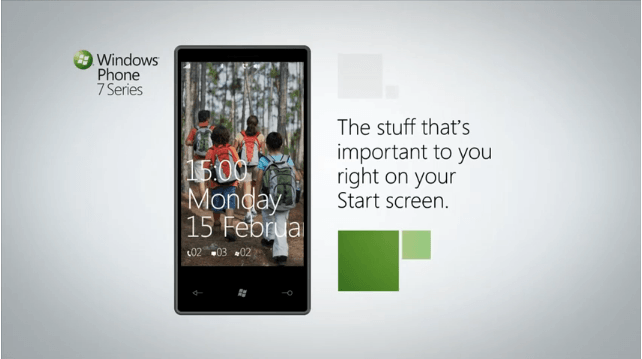
• A new piece of hardware showed its face today. (Above.) This time it's from Samsung. Externally, it's indistinguishable from the Omnia HD. Internally, you can assume it falls inline with Microsoft's minimum requirements for Windows Phone 7.

Continue Reading

Monday, February 21, 2011

Top Best Android Apps for Business Must Have 2011

0 comments

Top Best Android Apps Must HaveTime is precious and all business entrepreneurs will undoubtedly agree with the fact that time is money. Gadgets and technology get together. This year, sales of smartphones based on Google's Android operating system have begun to surpass Apple's iPhone in the U.S., according to Nielsen. With increasing interest in Android handsets, mobile application developers are starting to make business-specific apps. Here are 10 apps from Google's Android Market, selected with the help of Google, that are popular and highly rated (on a scale of 1 to 5, with 5 the highest) by users.

When you are looking for a smartphone other than an iPhone, the Andoid smartphone might be the one you're looking for. Cellular South reveals the best Android apps for business and reminds users that Android is also for professionals. The choice of apps for the Android mobile operating system is bewildering, so Jason Hiner picks out some of his favourites. If you own an Android smartphone, you can make your life a lot easier with apps that enhance your business productivity while you're on the business ecommerce.

Top Best Android Apps for Business Must Have 2011

Documents to Go 3.0 (DataViz)

Free viewer; $14.99 for full version
Rating: 4.5 stars
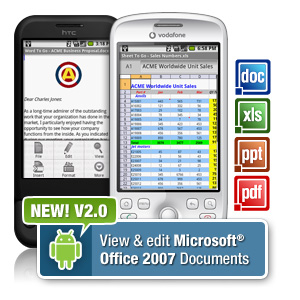
View, edit, and create Microsoft Word, Excel, PowerPoint, and Adobe PDF files. If you want to edit or create files, you'll need to buy the full version.

Top Best Android Apps for Business Must Have 2011

PocketCloud (Wyse Technology)

Free for limited features; $14.99 for full version
Rating: 4.5 stars
Access Windows, Mac, or Linux desktop files and applications from your handset. It's free to use with home machines, but workers who want to use this with a corporate computer on a network need to buy the full version.

Top Best Android Apps for Business Must Have 2011

Ignition for Android (LogMeIn)

$29.99
Rating: 4.5 stars
Your computers become an extension of your Android smartphone with this app. Remotely access and control both work and home computers, as long as they're connected to the Internet.

Top Best Android Apps for Business Must Have 2011

UPS Mobile App for Android (UPS)

Free
Rating: 4 stars
Track packages or freight shipments from your handset and estimate shipment costs and delivery times. This app also lets you access your address book and payment info at UPS.com and find the nearest UPS service locations.

Top Best Android Apps for Business Must Have 2011

TouchDown (NitroDesk)

Free 30-day trial; $19.99
Rating: 4.5 stars
Workers can connect to corporate e-mail with Android devices and get new e-mail messages pushed to smartphones rather than needing to remember to download messages. TouchDown supports encryption, and the IT department can wipe data on the device should it be lost or stolen.

Top Best Android Apps for Business Must Have 2011

Astro File Manager (Metago)

Free; $3.99 for app with no ads
Rating: 5 stars
This app helps you copy, move, delete, and rename files on your smartphone. It also lets you send files as attachments to e-mail messages and read and extract compressed files, such as Zip and Tar files.

Top Best Android Apps for Business Must Have 2011

Evernote (Evernote)

Free
Rating: 4 stars
Evernote helps you remember things, whether it's a receipt from that last business dinner or the name of the executive you met at a conference. The app lets you type a text note, clip a Web page, snap a photo, or grab a screen shot and store it, organize it, and find it later.

Top Best Android Apps for Business Must Have 2011

Travel Organizer (TripIT)

Free
Rating: 4 stars
When you're on the road, you can see the details of your itinerary, get maps and directions, and make phone calls straight from your itinerary with the tap of a finger.

Top Best Android Apps for Business Must Have 2011

Expense Reports (Expensify)]

Free
Rating: 4 stars
Never lose another receipt. Log expenses, scan receipts, and take comfort that a free service will back up those receipts online. This app also lets you import expenses and receipts from your credit-card or bank account.

Top Best Android Apps for Business Must Have 2011

Dropbox (Dropbox)

Free
Rating: 4.5 stars
Sync files between your computers and mobile devices. Share links to files and save photos and videos from your camera to your computers. This app also lets you browse a Dropbox folder from your handset.

Top Best Android Apps for Business Must Have 2011

Admittedly, I feel more confident downloading apps from the Apple store than I do from the Android Marketplace because I know that Apple strives to protect. Cellular South Touts Android Apps for Business Users The software can business users the possibility to easily find the most useful and fun Android apps available today. Top 15 Android Business Apps Highly useful Andriod apps for a wide variety of business tasks, from travel aids to financial transactions to office productivity.

10 Must-Have Android Apps for Business Whether you're running the next great business pitch from your phone or you just need to jot down ideas and edit documents on the go, we have you covered. 101 Best Android Apps in Business Here are the results for 101 Best Android Apps in Business on 101 Best Android Apps. Vote for your favourite applications.

10 must-have Android apps for business  Whether you're running the next great business pitch from your phone or you just need to jot down ideas and edit documents on the go business online. 11 Must-Have Android Apps for Business Among all the apps pouring into Google's Market, here are a few notable gems.

Continue Reading

Top 25 Best Android Apps for Business Most Wanted

0 comments

op 10 Best iPhone AppsHave you decked out your Droid with business apps yet? If not, take heed: Google Android phones still have a ways to go in terms of business functionality. But there are a few promising apps already. Here are some of the best Android apps for business we could find. Here are the results for 101 Best Android Apps in Business on 101 Best Android Apps. Vote for your favourite applications. Best Business Apps For Android - Here's a list of useful apps for phones that run on Google's mobile platform. Most of the mobile application development company offer best services in business e-commerce apps.
iPhone apps development has developed as the most fruitful business for many agents and officer : A List Of The 10 Best Android Apps - Business Insider Visual searching, augmented reality, geofencing, and more! Cellular South reveals the best Android apps for business and reminds users that Android is also for professionals. Best Android apps Illustration by Otto SteiningerHere are the top productivity tools, Replacing it can open unlimited business opportunities.

While the apps below are good, expect to see many improvements from developers in the coming year.

25. Phonebook

Top

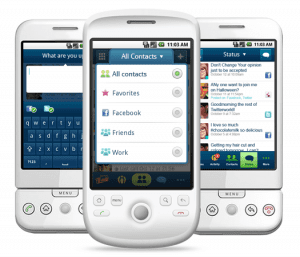
Manage your contacts through this slick app, which lets you see missed calls, unread emails, text message, and upcoming birthdays by contact. Also lets you upload a photo of your contact. Handy if you have trouble keeping your contacts straight.

24. Sprite Android Backup

Top
Image: Androidzoom

Prevention is the best medicine for system health. Back up and restore your system using thiscomprehensive $5 app.

23. Google Voice

Top

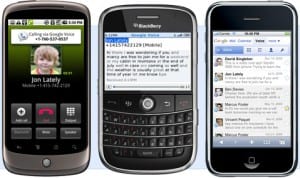
Use a unique phone number for this VoIP service. It transcribes your voicemails, gives you free text messages, integrates with your phone’s address book, and offers cheap international calls. Like Skype, but Googlified.

22. Cab4Me

Top

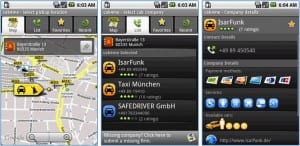
If you’re a business traveler, this free app, which finds cab companies near your GPS location, can help keep you out of a jam. Cab company listings include user reviews and contact information.

21. The Weather Channel

Top

This handy app offers the kinds of in-depth forecasts you would expect from the Weather Channel. Features include live video. The app automatically updates your location through your phone’s GPS.

20. Astro File Manager

Top
Image: HTCpedia

An app like Astro’s is essential for keeping your machine healthy. This free program keeps your files and system performance in check. It backs up your apps to a memory card, lets you see what processes are running, how much memory your systems is using, and CPU usage.

19. Stocks

Top
App image not available.

This free app piggybacks on Google Finance data to show you quotes and trends. Covers markets around the world.

18. Talk to Me

Top

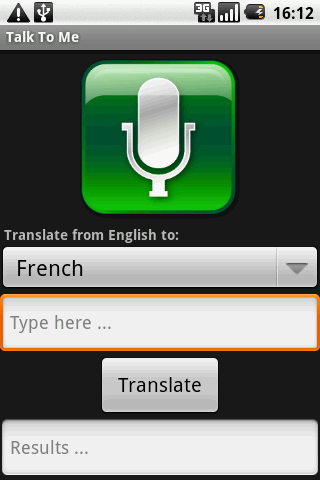
An excellent travel survival tool. Say something in one language, and it talks back to you in another. Current languages include English, German, Spanish, French, and Italian. Best of all, it’s free.

17. Greed

Top
Image: Droidapplications

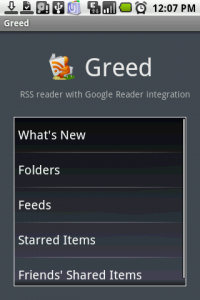
Greed lets you read your RSS feeds without opening a browser. Stay up on news, blogs, and your industry quickly and easily.

16. TripIt

Top

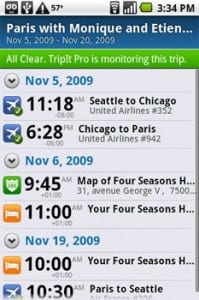
If you’re a frequent traveler, TripIt is your friend. It organizes flight, hotel, restaurant, and other itinerary information in an easy-to-read form. Also helps you find and contact places on the road through directions and contact info. Top 25 Best Android Apps for Business Must Have

15. Currency

Top

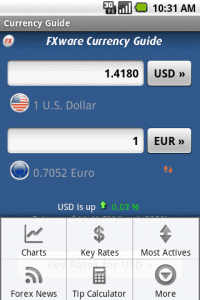
Currency converts more than 160 currencies using real-time foreign exchange rates. Comes with a tip calculator and, if you’re into forex trading, trends, charts, and news as well.

14. Seesmic

Top

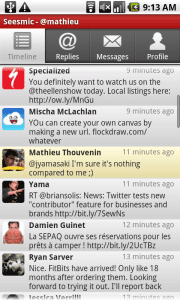
Possibly the best Droid app out there for Twitter users. Timelines organize your tweets; you can also save them as drafts and arrange notifications. There’s more. Seesmic is video and image-capable, shortens URLs, spellchecks, and supports multiple accounts.

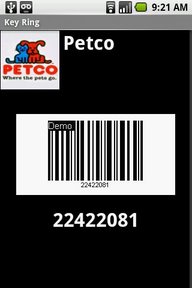
13. Key Ring

Top

Scan your gym, grocery store, or other membership card into your Droid. Key Ring stores each card’s barcode in a drop-down menu. Scan the barcode directly from your Droid the next time you go shopping or do any other activities requiring a card.

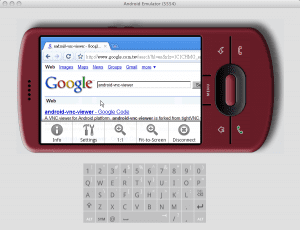
12. VNC Viewer

Top

Stay leashed to your desktop with this handy app. It lets you safely log in and connect to a remote machine, so that you can make easy little changes without actually storing anything on your smartphone.

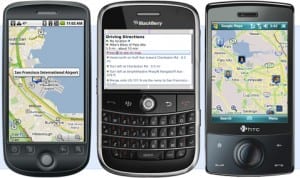
11. Google Maps Navigation

Top

Possibly the best map app out there. Search by talking to the app. Or enter a landmark, business name, or other vague criteria, and Google Maps will generate results. Includes live traffic data, satellite view, street view, and turn-by-turn navigation. This app comes with Droid 1.6 models and higher.

10. Cashbook

Top
Image for Droid not available. This Cashbook for iPhone image is from Appolicious.

This expense tracker lets you easily enter and track your business expenses. It also tracks your weekly and monthly balance. Comes with password protection.

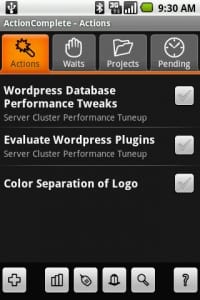
9. ActionComplete

Top

If GTD (Getting Things Done) and the Four Quadrants of time management are part of your daily vocabulary, ActionComplete is made for you. It’s a project management-style to-do list app, which lets you group tasks into actions, schedule actions to be taken by others, prioritize projects, tag actions, set reminders, and more. Bonus: It’s free.

8. MightyMeeting

Top

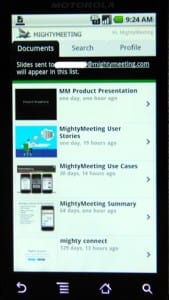
MightyMeeting acts like a remote control for your PowerPoint presentations. Upload your presentations to MightyMeeting, tag them for easy retrieval, and deliver your presentations through your Droid. You can invite others to see your presentation and edit it, too.

7. Astrid

Top

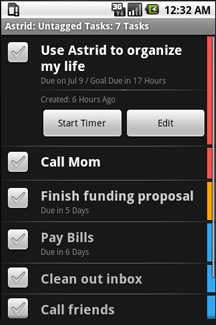
This clean, easy-to-use to do list is a classic. Astrid, which is free, offers you reminders, checklists, tagging, and priority setting functions. You can backup your lists to RemembertheMilk.com, a free online to-do list application.

6. Spreadsheet

Top

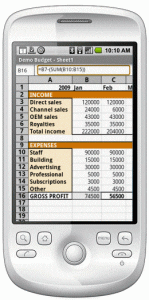
This versatile, XLS-compatible spreadsheet gives you 100 spreadsheet functions. They include searching, sorting, and formatting. You can also view, edit, and send attachments through other applications like Gmail.

5. AK Notepad

Top

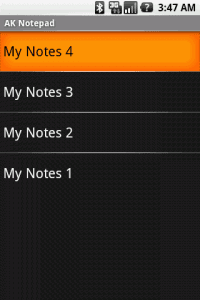
Take notes on your smartphone, make to-do lists, and put up reminder alarms with this easy-to-use notepad. You can email or SMS your note, as well as search notes by title. Simple, fast, and often indispensable.

4. mShare

Top

mShare is where FTP and chat meet mobile. The app lets you transfer or exchange files to and from your computer and other mobile devices. It also works for any size file, as well as contacts and data storage.

3. GDocs

Top

GDocs lets you take your Google docs anywhere. Create or upload your documents on Google Docs, then review them in micro format on your Android app.

2. Documents to Go

Top

View and edit your Microsoft Office documents, PowerPoint included, through this $30 app, which also does PDF. The free version will do Word and Excel only.

1. Locale

Top

This smart app
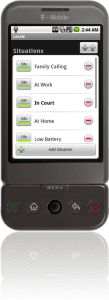
uses GPS, WiFi, and cell signal to adjust your phone settings based on where you are, and when. It will automatically turn itself off in meetings and movies, remind you to charge the phone when battery runs low, and more. There’s no better way to have your phone take care of itself.

Top 5 Best Android Apps for Business If you are on the road at a social media event, be sure to have these top 10 Android apps for business loaded on your Droid. 10 must-have Android apps for business Whether you're running the next great business pitch from your phone or ... 10 of the best and most useful apps for your Android smartphone What Are the Best Android Apps? - AOL Small Business What Are the Best Android Apps? - AOL Small Business | The iPhone may generate all the buzz, Android-powered phones continue to outsell it.

101 Best Android Apps in Business and in Fun Here are the results for 101 Best Android Apps in Business and in Fun on 101 Best Android Apps. Vote for your favourite applications. Cellular South Reveals the Best Android™ Apps to Help Conquer Tax Cellular South has identified and is recommending some of the best Android apps for mobile phones to help consumers conquer tax-filing.

Continue Reading

Top Best iPhone apps for productive geeks most wanted

0 comments

op 10 Best iPhone AppsNOW here is List of 10 best iphone apps for Business witch will help you to run your daily activities smoothly, Unit Conversion,PDF Reader. Takeaway: Get the inside track on iPhone apps that can improve your productivity, and a few that can provide a little geek fun. Top Best iPhone apps for productive geeks must have infoWorld presents a grab bag of handy productivity apps that can make your iPhone as useful as it can be. The iPhone offers a wide variety of apps designed for business as well as the ability to create custom apps for your company's specific needs. Get work done on the go and stay connected with your team with these 10 great apps for your iPhone.

Five useful iPhone apps that will help you become a better business networker. The iPhone is becoming an ever more suitable tool for business users, even at the enterprise level. Top Best iPhone apps for business ecommerce must have all. Downloading a few apps to your iPhone can go a long way toward making you more efficient — whether you're in the office or out in the field. Put 10 new business tools at your fingertips with these iPhone apps. wikipedia, iPhone applications jott, iphone applications instant messaging and office.

Mobile apps have become an embarrassment of riches. In a world with over 200,000 iPhone apps and over 100,000 Android apps, the toughest part is finding the most useful stuff.

For iPhone users, I’m going to throw you an assist by sharing my top 25. These are third-party apps that can help you be more productive, streamline several of your activities, reduce the number of gadgets in your life, and take advantage of the top benefits that mobile computing has to offer. I’m also going to follow up with similar lists of the best apps for Android and iPad.

The best way to view my list of the top iPhone apps is in the screenshot gallery, which includes 2-3 screenshots of each app and a short description of why I chose to include it in the list. However, you can also view the entire list below along with a link for each app in iTunes App Store.

The screenshots

The list

1. Dropbox

Dropbox is a great cloud service that automatically syncs a folder of files between multiple computers (Windows, Mac, or Linux). This app extends Dropbox to the iPhone and includes a built-in reader within the app for PDFs, image files, and Microsoft Office files.

2. Evernote

Once you get used to typing on a virtual keyboard (and it honestly took me over a year to do it), then these devices are great for note-taking, and Evernote is a great note-taking app. It is similar to Dropbox in that it saves data locally but syncs it across all your machines and devices.

3. 2Do

There are a ton of to-do apps on iPhone but I prefer 2Do because of the great interface and the fact that it can sync with the online service Toodledo.

4. Tripit

I love Tripit. It is by far the best app I’ve found for keeping track of all my travel itineraries. It runs off some great backend systems. You simply forward your confirmation emails for your flights, hotels, rental cars, and more to Tripit and it automatically organizes them into trips with all your details and confirmation numbers.

5. Analytics App

For some reason Google doesn’t have an official app (for either iPhone or Android) for Google Analytics. The best one I’ve found to get deep into all of the data is Analytics App.

6. Ego

Even better than Analytics App for a quick-glance dashboard is Ego. It shows basic data from Google Analytics as well as a bunch of other sources, including Squarespace, Twitter, and Feedburner.

7. Twitter

The official Twitter app (formerly known as Tweetie) is still the best Twitter client on iPhone (although Osfoora is catching up), and Twitter is an amazing instant-intelligence engine.

8. MobileRSS

Twitter has largely replaced RSS for me for finding and filtering the latest news. However, I still track some RSS feeds and the best tool I’ve found to do it with is MobileRSS Pro, because of its clean UI and integration with Google Reader.

9. ProPublica

I don’t use many specific publication apps to get news. I mostly get news from Twitter and RSS, but the one major exception is ProPublica, the non-profit investigative journalism site. Excellent reporting and a very good app.

10. Amazon Kindle

I never warmed up to the Amazon Kindle e-reader, but I’m a big fan of the Kindle iPhone app. Since it was released I’ve read a lot more books simply because my phone is always with me and I can pull it out and read a few pages anytime I’ve got a couple minutes free.

11. Audible

As much as I like the Kindle ebooks, I actually consume more books as audiobooks via Audible. In the past you could download these and sync them via iTunes. But Audible now has its own app, which lets you connect to your Audible library and download over the air, and even gives you a self-contained player optimized for audiobooks.

12. Photoshop Mobile

Photoshop is, of course, the best known photo editor in the world and its mobile app doesn’t do anything to hurt that reputation. But while the desktop version is known for having a zillion features, the mobile app is distinguished by its simplicity. It’s the best iPhone photo editing app for simple crops, brightness adjustments, and sharpens, for example.

13. Pano

Pano makes it easy to take excellent panoramas with the iPhone. It helps you line up your shots and it automatically corrects many of the imperfections. My wife is a photographer with a big, expensive camera and she’s regularly jealous of some of the shots I can get with the iPhone and Pano.

14. Xtreme Labs Speedtest

I’m always running speed tests to check my bandwidth in various places, both to see 3G fluctuations and to check the quality of Wi-Fi. The Xtreme Labs test is my favorite (it’s also available on Android). It is very consistent, although sometimes its upload speeds seem a little lower than reality. That’s why I’d recommend that you verify it by using other speed tests such as the FCC Speed test, Speedtest.net, and the Cisco speed test app.

15. RedLaser

This is a great app for shoppers. It turns the iPhone camera into a barcode scanner and it’s pretty accurate. You simply scan a product’s UPC code and let the app go to work to find it in Google Product Search and TheFind. For food it will even look up allergen information and for books it will scan to see if you can get it in a local library. You’ll be amazed at how fast it works. A similar product is SnapTell, which not only scans barcordes but you can also take a picture of the cover of a book or DVD and it can look them up that way. These apps are great when you’re shopping at a retail store and want to check the prices of products online before buying.

16. Navigon Mobile Navigator

I used to carry a separate Garmin GPS unit for turn-by-turn directions but I eventually got rid of it and decided to just use the iPhone instead. In researching the various apps, I eventually decided on NAVIGON, which is a company that makes a lot of the built-in navigation systems for many cars. Tip: Make sure your iPhone is plugged in to power when you run a GPS navigation program like this because otherwise it will quickly drain your battery.

17. Where To?

A great companion to a GPS system is the app “Where To?” which lets you quickly look up various types of shops and services, from Cuban restaurants to medical specialists to animal hospitals to local museums and much more.

18. Distance Meter Pro

This terrific little app can save you from buying a pedometer. It uses the iPhone’s accelerometer to track the miles you’ve run or walked, and it also throws in data about your pace and the number of calories you’ve burned.

19. Pandora

Pandora is a streaming “radio station” for the Internet age. You simply search by an artist or song and it will create a running playlist based on that one piece of information. It intersperses an occasional ad between songs but the ads tend to be fairly localized and occasionally even useful. On iOS 4, Pandora can even run in the background, just like the iPhone’s native music app.

20. Shazam

If you want to impress your friends with an iPhone app, the best one to do it with is Shazam. Ever hear a song being played at a store or on the radio and ask yourself, “Oh, what song is that?” That’s where Shazam comes in. Just hit the button and let it listen for 15 seconds, query its database, and then return the name of artist and the song. It has about an 80% success rate.

21. GroceryGadget

This is an app plus a website and you can quickly sync between the two. The way it usually works for me is that my wife makes a grocery list, enters it into grocerygadgets.com, and then it syncs to my iPhone so that I can swing by the grocery store on my way home from work.

22. Boxee Remote

Boxee is a great little program that lets you turn any PC into a multimedia PC and brings social networking to the experience so that you can see what your friends are watching. It runs on Mac, Windows, Linux, and AppleTV. However, if you use an existing PC then you probably don’t have a remote for it. This Boxee app turns your iPhone into a remote with two modes, a straight arrow mode and a gesture mode.

23. Scrabble

This classic game has gotten a rebirth in the digital age and the iPhone version is part of that. You can pass the phone around or you can play online against your Facebook friends.

24. Star Wars: Trench Run

I’m not usually an avid gamer (beyond Scrabble) but when it involves an X-wing Fighter attacking the Death Star, I’m in. Star Wars: Trench Run is a fun game that’s easy to play and takes advantage of the iPhone 4’s new gyroscope. A cool feature of Star Wars: Trench Run is that you can also connect it with your computer using a wireless technology called Brass Monkey and then you can have the game playing on a PC or Mac while you use the iPhone as a controller. However, be prepared to install a plug-in on your computer and you might have to open ports on your firewall to make it work.

25. AppAdvice

There are even apps to help you find more apps (that’s what happens when a platform has over 200,000 apps). A great resource is AppAdvice. Its AppGuides and AppLists are great ways to discover new apps. I especially like that it ranks similar apps in order to help you find the best ones.

Maybe it's odd to be recommending iPhone apps right now, with the house of cards that is the confused App Store policy falling down. Searches related to iphone apps for business top iphone apps business iphone apps small business apple business 10 best iphone apps for business ecommerce just like paypal. The best business and productivity apps for the iPhone.

Last week, I wrote a post about a handful of BlackBerry apps that are a great addition to your device.Shara Karasic of Appolicious dishes her top 10 iPhone small business apps that are sure to make you and your small business more productive. Just what you need on your iPhone to keep your business network humming.

Scott Lowe lists seven new iPhone apps that caught his attention. Find out which apps he thinks are worth checking out and which appsThese 10 essential business apps for your iPhone will help you run your business from your back pocket 10 Killer iPhone Apps for Business Collaboration We look at 10 must-have iPhone apps for business professionals on the move. Apple - iPhone - iPhone in Business iPhone supports Microsoft Exchange ActiveSync, delivering push email, calendar, and contacts for business.

With a few downloads from the App Store, you can be managing projects, updating your team, tracking progress and sharing documents I got my iPhone 3G more than a year ago and I still have a huge crush n this little piece of electronic perfection.

Continue Reading


Copyright 2010 All Rights Reserved | Super Template by Ilmu Komputer | Modified by Ilmu Grafis | Original Wordpress theme by Ahli Desain